Loading
by BlastRoom
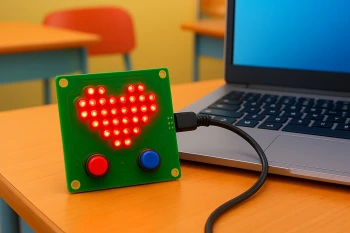
Students identify the micro:bit's inputs and outputs, predict what simple programs do and get code onto the device.
#computing#ict#cambridge_computing#cambridge_computing_stage_5
20 questions
One question set, multiple game modes. Tap any game to see it in action. Not sure which to pick?
What is physical computing?
How many LEDs are on the micro:bit's display?
Which buttons are on the front of the micro:bit?
Which of these is an INPUT on a micro:bit?
Which of these is an OUTPUT on a micro:bit?
What does the micro:bit's accelerometer detect?
A program says: on button A pressed, show a heart. What happens when you press button B?
What does the micro:bit's compass tell it?
Which part of the micro:bit can also measure how light or dark it is?
You want the micro:bit to show a snowflake when the room is cold. Which input do you need?
How do you get your program from the computer onto the micro:bit?
What can power a micro:bit when it is not plugged into a computer?
What does the forever block do?
When does the code inside the on start block run?
What are the gold pins along the bottom edge of the micro:bit used for?
On start, set count to 0. On button A pressed, change count by 1 and show count. You press A three times. What is shown?
Which part of a newer micro:bit (V2) plays sounds?
How can two micro:bits send messages to each other without wires?
You want a heart to show when you press button A. Your program says: on button B pressed, show a heart. You press A and no heart appears. What is the bug?
Look at the flowchart. The room is 30 degrees. What is shown?
Outrun the horde and crack the passcode.
Pick a tile, answer, hit bonuses and steals.

Computer Storage
20 questions
Databases
20 questions

Making Games with Scoring
20 questions
Network Devices and Websites
20 questions
Robots and Problem Solving
20 questions
Searching and Sorting
20 questions
Selection in Algorithms
20 questions
Selection in Scratch
20 questions
Animation in Scratch
20 questions

Copyright and Online Content
20 questions